Share:

ImmunoFitt

7000+-an választották a Movtechet

Two wrist straps connect to the control unit with coiled cables, and you start the programs on the touchscreen. You can try it at a personal demonstration before buying.

  • Touchscreen control unit, programs start on the display
  • Two wrist straps with coiled cables, easy to put on
  • Personal demonstration and trial before purchase
  • Professional team, expert support
  • 30-day money-back guarantee

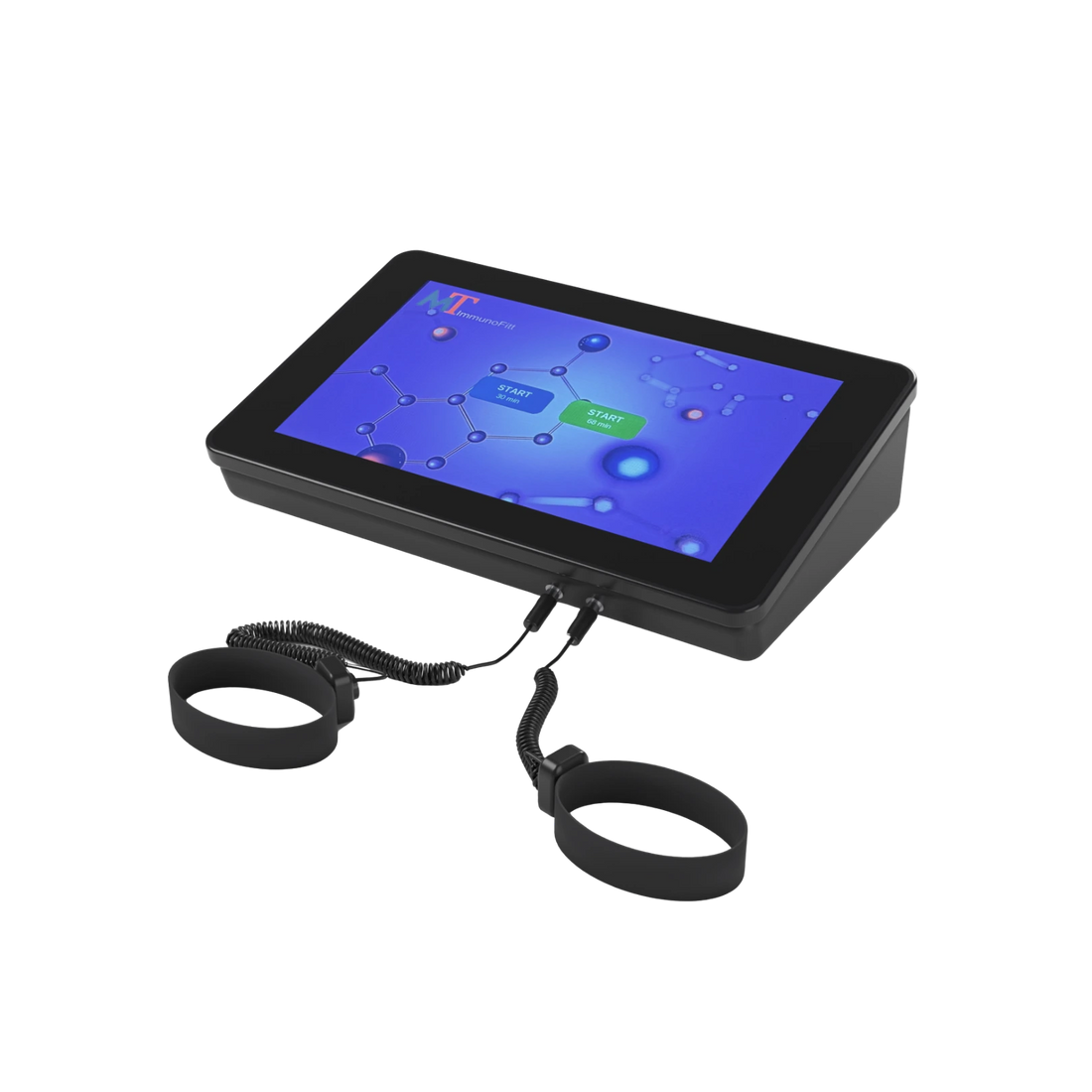
Movtech™ ImmunoFitt is our latest device, unveiled at the Longevity Summit 2026. It consists of a touchscreen control unit and two wristbands connected by coiled cables; programs can be started via the display.

Detailed technical specifications will be published soon. If you have any questions or would like to try it out in person, please email us at info@movtech.hu or call us at +36 20 586 3241.

Regular price 2.350.000 Ft
In stock
Estimated delivery: ...
Shipping across Europe
  • 2 yearswarranty
  • 30 daysmoney back
  • 1-5 daysdelivery
What is in the box?
  • Movtech™ ImmunoFitt control unit with touchscreen
  • 2 wristbands with coiled cable
  • Mains adapter
Shipping and warranty
  • Delivery in 1–5 business daysBy GLS courier to your door or to a parcel point, across Europe.
  • Pay the way you preferCash on delivery, card or bank transfer in advance.
  • 30-day money-back guaranteeIf you are not satisfied, send it back without giving a reason and we will refund the price.
  • 2-year warrantyProfessional team, service backup.

Two programs, one tap to start.

  • 2programs
    Choice of program

    Standard and Extended: you start it with one tap on the display.

  • 30min
    Standard program

    The shorter session, the display shows the time remaining.

  • 68min
    Extended program

    The longer session, for when you have more time to rest.

  • 2pcs
    Wrist strap

    They connect to the control unit with coiled cables.

  • Touch
    Touchscreen

    The time remaining is shown in a ring that gradually fills.

  • 2sec
    Stop

    It does not stop by accident: you have to hold the button down this long to stop it.

68 minutesthe longer, Extended program

Extended68 minutes
Standard30 minutes

If you have more time, you start the longer program, if less, the 30-minute one. Both start with one tap, and the display shows how much is left the whole time.
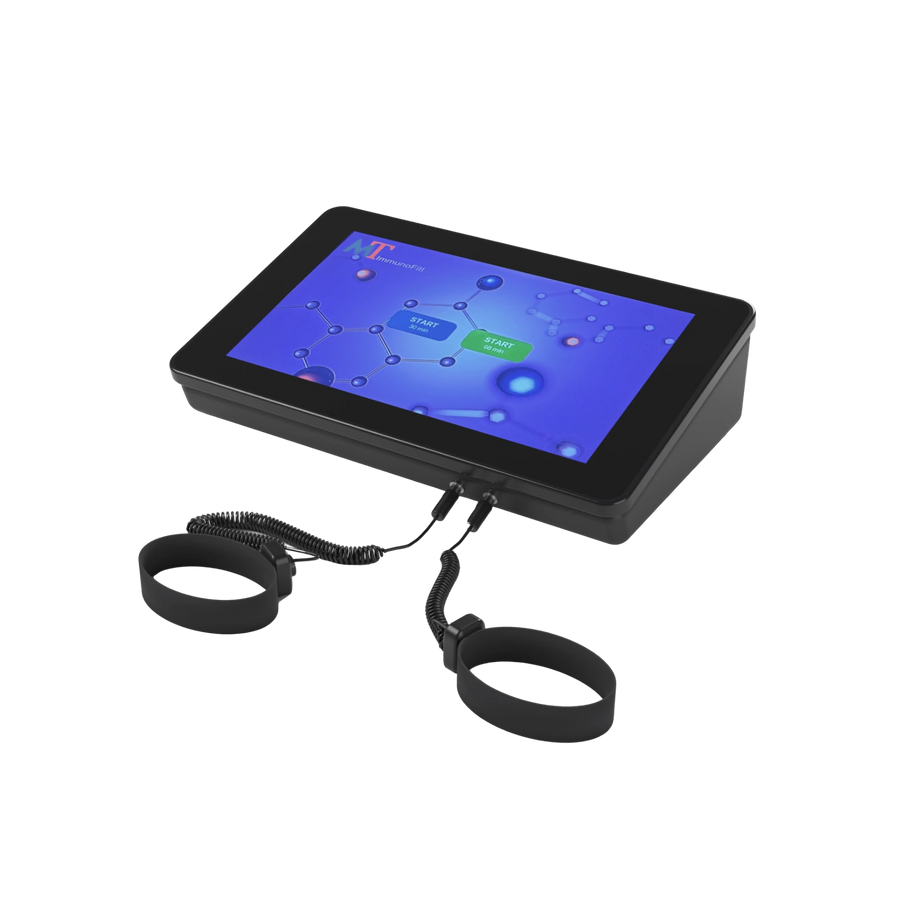
Movtech ImmunoFitt touchscreen control unit with two wristbands

Simple operation

  • 01

    Starts with one touch

    Two program cards on the display.

  • 02

    You see where you are

    The remaining time in a gradually filling ring.

  • 03

    It won't stop by accident

    To stop it, you have to hold the button for 2 seconds.

  • 04

    You can try it

    At a personal demo, before buying.
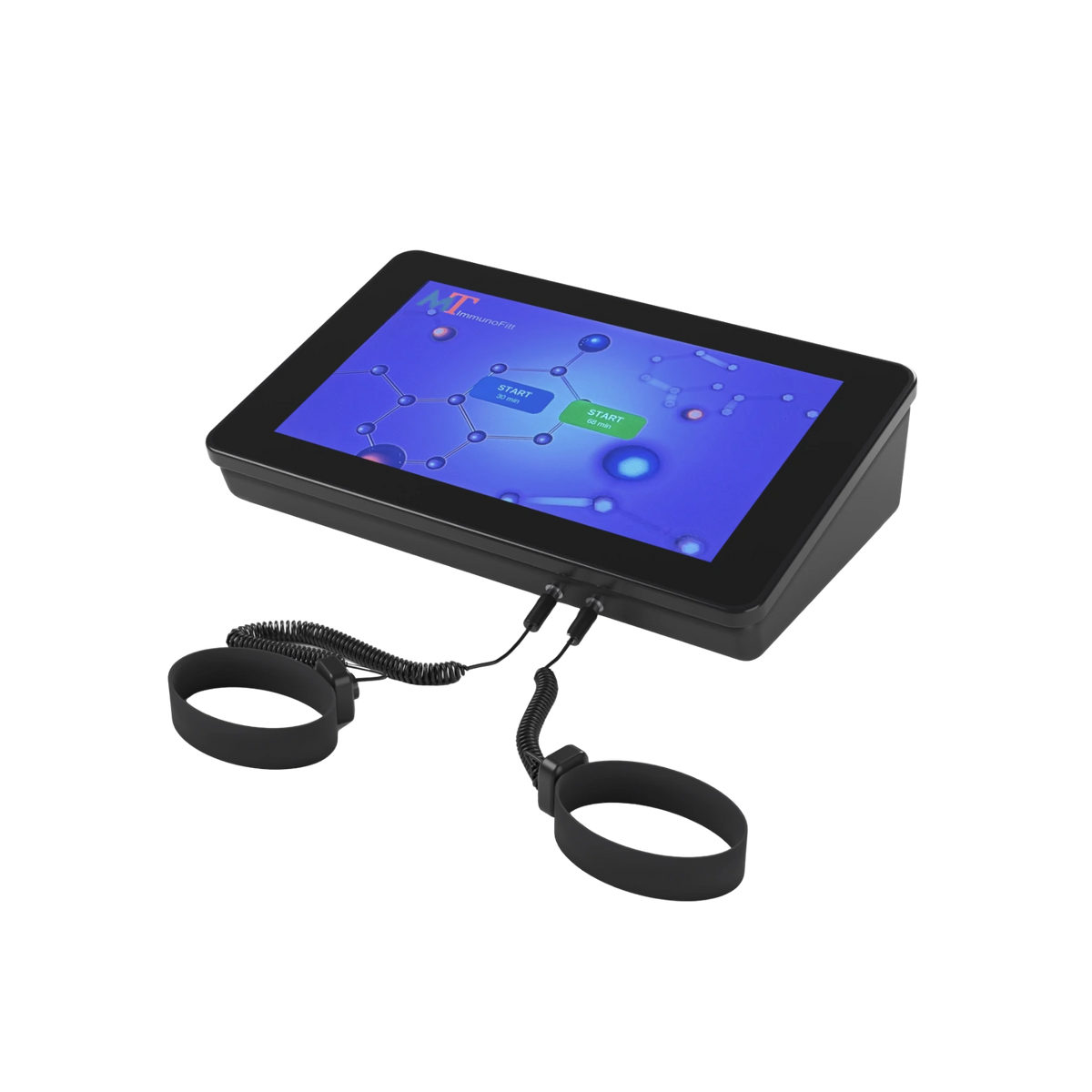
Movtech ImmunoFitt érintőképernyős vezérlőegység két csuklópánttal

What is in the box

  1. 01

    Control unit with touchscreen

    You start the program here, and follow the remaining time.

  2. 02

    Two wrist straps

    They connect to the control unit with a coiled cable, you simply put them on.

  3. 03

    Mains adapter

    Runs from a wall socket.

Varga Domonkos
Varga DomonkosMovement therapist

We presented the ImmunoFitt at the Longevity Summit, and many asked how it works in practice. Using it is simple: you put on the two wrist straps, choose the program on the display, and you can rest meanwhile.

If you're curious, first come to a personal demonstration and try it before you buy.
Varga DomonkosMovement therapist
Movtech ImmunoFitt érintőképernyős vezérlőegység két csuklópánttal

How to start a program

The interface is available in English and German, you choose the language at the bottom of the main screen, and the device remembers it.

  1. 01

    Choose a program

    Tap the Standard (30 minutes) or the Extended (68 minutes) card.

  2. 02

    Quick start

    After about 4 seconds the program starts, with a rising tone.

  3. 03

    Follow the time

    The large clock shows the remaining time, and the red ring fills up meanwhile.

  4. 04

    Stopping midway

    Hold the CANCEL button for 2 seconds, a short tap does not stop it.

  5. 05

    Summary

    At the end, the display shows the program, the time and the session number.

What's in the box

Movtech ImmunoFitt touchscreen control unit with two wristbands
  • Movtech™ ImmunoFitt control unit with touchscreen
  • 2 wristbands with coiled cable
  • Mains adapter

Real customers, real reviews

Customers rate us 4.8/5 based on 1218 reviews.

MOVTECH
MOVTECH
MOVTECH
MOVTECH
MOVTECH
MOVTECH
MOVTECH
MOVTECH

Brand ambassadors

THEY TRUST IT TOO

scrolling text
scrolling text
scrolling text
scrolling text
scrolling text
scrolling text
scrolling text
scrolling text
scrolling text
scrolling text
scrolling text
scrolling text
scrolling text
scrolling text
scrolling text
scrolling text
scrolling text
scrolling text
scrolling text
scrolling text
scrolling text
scrolling text
scrolling text
scrolling text
scrolling text
scrolling text
scrolling text
scrolling text
scrolling text
scrolling text
scrolling text
scrolling text
scrolling text
scrolling text
scrolling text
scrolling text
scrolling text
scrolling text
scrolling text
scrolling text
scrolling text
scrolling text
scrolling text
scrolling text
scrolling text
scrolling text
scrolling text
scrolling text
scrolling text
scrolling text
scrolling text
scrolling text
scrolling text
scrolling text
scrolling text
scrolling text
scrolling text
scrolling text
scrolling text
scrolling text
scrolling text
scrolling text
scrolling text
scrolling text
scrolling text
scrolling text
scrolling text
scrolling text
scrolling text
scrolling text
scrolling text
scrolling text
scrolling text
scrolling text
scrolling text
scrolling text
scrolling text
scrolling text
scrolling text
scrolling text

Frequently asked questions

How do I start a program?

After switching on, tap one of the program cards on the home screen: Standard (30 minutes) or Extended (68 minutes). After a few seconds of start-up, the program begins and the display shows the time remaining.

Can the program be stopped early?

Yes. Hold down the Cancel button for 2 seconds. A short tap deliberately does not stop it, so the session is not interrupted by accident.

What does the display show at the end of the program?

After a beep, a summary of the program and its duration appears, then the home screen returns after 8 seconds.

What languages is it available in?

The interface is in English and German, and you can switch at the bottom of the home screen. The device remembers the selected language.

Where can I try it?

Write to us at info@movtech.hu or call us on +36 20 586 3241, and we will arrange a personal trial.

All questions